21
Understanding MHEG-5: Interactive TV's Quiet Powerhouse
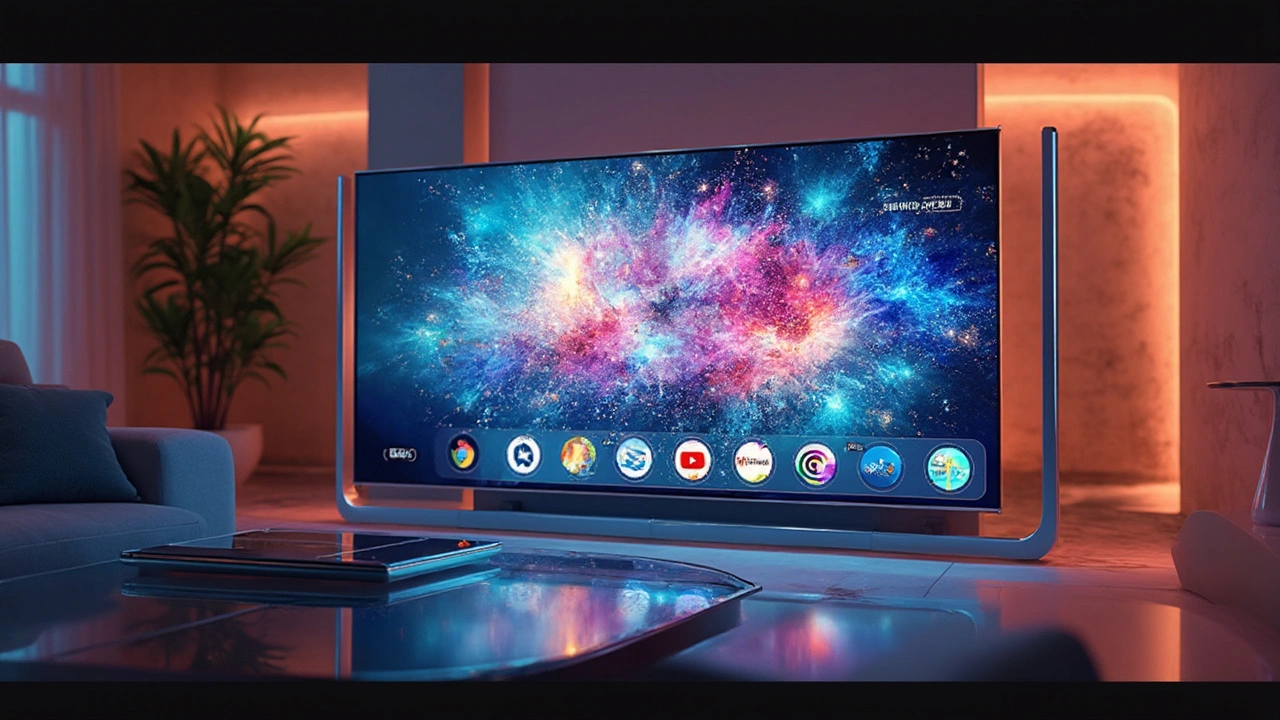
Ever wondered how your TV manages to show those interactive menus and applications without turning into a tangled mess of extra gadgets? That's where MHEG-5, a lesser-known but crucial technology, comes in. This standard was created to keep your digital TV experience smooth and interactive, doing so without you even noticing.
MHEG-5 is the secret sauce behind interactive TV that lets you navigate on-screen menus, participate in quizzes, or even access additional content while you enjoy your favorite shows. It doesn’t require a fancy setup or complicated connections. Just your digital TV and you're good to go.
So why is MHEG-5 something you should care about? Well, it’s all about enhancing your viewing experience. With MHEG-5, your TV can directly handle multimedia applications, cutting down on extra channels and equipment. This means that everything from on-demand services to educational programs can be more accessible and user-friendly.
What is MHEG-5?
MHEG-5, short for Multimedia and Hypermedia Experts Group version 5, is more than just a mouthful—it's a crucial technology in the world of interactive TV. Introduced back in the late 1990s, this standard kick-started the interactive TV revolution by offering a way to broadcast multimedia content over digital television networks. MHEG-5 isn't new tech, but it's still relevant, quietly working behind the scenes to make your TV experience a bit more interactive and, let’s be honest, way cooler.
So, what exactly does MHEG-5 do? Well, it enables digital TVs to show multimedia applications like interactive menus, games, and even educational content without needing additional hardware. This is possible because MHEG-5 acts as a kind of language for your TV, translating broadcast signals into things you can interact with on the screen.
Understanding the Basics
Think of MHEG-5 as a bridge between traditional TV broadcasts and the content-rich experience offered by multimedia applications. Instead of just passively watching, MHEG-5 lets users engage with what's on screen. Whether it's choosing a different camera angle on a live sports game or accessing extended stories while watching the news, MHEG-5 makes it happen by encapsulating multimedia data and commands for your TV to process.
Where is it Used?
You can find MHEG-5 at work in various interactive TV services seen in regions like the UK, with platforms like Freeview and Freesat utilizing it to deliver their interactive offerings. It’s lightweight and efficient, which is why broadcasters find it suitable for fast-paced environments.
| Year | Development in MHEG-5 |
|---|---|
| 1997 | Standard first introduced |
| 2008 | Adoption in UK television platforms |
All this boils down to a smoother viewing experience without the fuss of extra equipment or steep learning curves. Whether you're into sports, news, or entertainment, if your TV supports MHEG-5, you're in for a treat with interactive options right at your fingertips.
How Does MHEG-5 Work?
At its core, MHEG-5 acts like a middleman between the digital TV signal and how you interact with it. It's like the unsung hero that simplifies all that tech mumbo jumbo into something you can easily use without even thinking about it.
So, how does this magic happen? Well, MHEG-5 scripts are sent with the digital broadcast signal. Think of it as a bunch of invisible instructions coded into your TV signal that makes your TV behave in unexpected ways—like letting you jump from a movie to a trivia game, all without extra equipment.
Basic Framework
The MHEG-5 system is divided into two basic parts: communications and presentation. The communication part gets the data from broadcasters to your TV, while the presentation part handles displaying it on your screen. This separation ensures a smooth flow, even with various kinds of content coming in.
- Communications Layer: It gathers and makes sense of data for your TV.
- Presentation Layer: Displays the content, letting you see and interact with it.
Capabilities
With MHEG-5, you get more than just pretty menus. It supports simple animations, video streaming, and even text display straight from the broadcast. Another cool thing? It doesn’t require massive processing power, which means older TVs can still enjoy the benefits without sweating.
In fact, up to 90% of all interactive features can be accessed straightforwardly, thanks to MHEG-5. Also, given it's been around since the '90s, it's reliable and efficient, minimizing glitches as you flip through options.
The beauty of MHEG-5 is that it won't feel like rocket science. It's all about making things click without forcing you to do a tech deep-dive every time you want to change the volume.
Relevance and Applications
When it comes to making digital TVs user-friendly and engaging, MHEG-5 plays a pivotal role. It’s not just about scrolling through a channel list anymore; our expectations have leveled up. We want interactive features and seamless menus, and that’s precisely where MHEG-5 shines.
Everyday TV Experience
Imagine watching a nature documentary and having the ability to click on an application that shows more details about the animals featured. With interactive TV, made possible by MHEG-5, accessing extra content is a breeze. This standard efficiently pulls in multimedia content that doesn’t disrupt the flow of what you’re watching.
Broadcasters Like It Too
For broadcasters, MHEG-5 is a game changer. It enhances viewer engagement without complex tech. By using digital broadcasting and MHEG-5, broadcasters can provide extra features such as email, games, and even real-time updates, keeping viewers hooked longer.
Data in Action
If you’re wondering just how widespread this tech is, take the UK for instance. The UK’s Freeview platform relies heavily on MHEG-5 to deliver services. Worldwide, many digital TV services harness this standard to make viewing interactive and informative, blending television with digital convenience.
Applications Beyond TV
But it’s not all about your TV screen. MHEG-5’s applications stretch into education and retail too. Interactive learning modules and shopping channels are made smoother, thanks to this efficient, low-cost standard. When you see informative graphics or get an on-screen prompt to interact, credit goes to MHEG-5.
So next time you're zipping through your TV guide or engaging with on-screen extras, remember the quiet worker behind it all, keeping things rolling without extra dials or tech jargon.
The Future of MHEG-5
In a world that’s constantly upgrading how we consume media, where does MHEG-5 stand? With the rise of new technologies like OTT (Over-The-Top) services and smart TVs, you might think this older standard would be overshadowed. But not so fast! MHEG-5 isn't bowing out just yet; it's adapting and evolving, holding its own niche in the interactive TV space.
Keeping Up With Changing Tech
One of the cool things about MHEG-5 is its flexibility. It might not be as flashy as the latest smart TV features, but it remains relevant in regions where high-speed internet isn’t as reliable. MHEG-5 can operate efficiently on minimal bandwidth, making it a go-to for broadcast networks balancing cost and functionality.
Improving Accessibility
As accessibility becomes a higher priority, MHEG-5's role in ensuring everyone can interact with TV content can't be ignored. It's already widely used in subtitles and audio descriptors—features crucial for viewers with disabilities. As future updates roll out, expect even better support in this area.
Integration with Modern Platforms
While MHEG-5 may not top the list for next-gen smart TVs, its integration capabilities with standard digital TVs mean it’ll stick around. Future iterations might see MHEG-5 being used alongside newer protocols, acting as a simple but effective solution in hybrid broadcast environments.
Interactive TV is headed for new horizons. Even if MHEG-5 isn't always in the spotlight, it's playing a solid supporting role. It’s like the unsung hero of interactive TV—quietly ensuring you have all those neat features without much fuss.


King Medoo
July 17, 2025 AT 23:07Wow, this article sheds light on something most people never think about when flipping channels or clicking through interactive menus. MHEG-5 really is the unsung hero of interactive TV technology. I mean, in a world where we often demand flashy new hardware and innovations, it’s easy to overlook the importance of robust standards that quietly keep everything running smoothly behind the scenes. It’s fascinating how this tech allows so much interactivity without extra gadgets, which definitely lowers the barrier for users and broadcasters alike.
It's kind of like when you appreciate the foundation of a building rather than the fancy decor on top. I think it speaks volumes about smart design: creating an experience that feels seamless and natural while being powered by an efficient, adaptable standard. Plus, it’s impressive how MHEG-5 remains relevant despite the rapid evolution in TV technologies and streaming services flooding the market.
Honestly, this makes me wonder how much other legacy tech quietly supports our daily digital lives without us realizing it? It’s almost poetic—these silent enablers working behind the scenes, making everything possible without fanfare. So yeah, big props to MHEG-5. Without it, interactive TV might look utterly different or possibly be a lot messier in user experience. 📺👌
LeVar Trotter
July 18, 2025 AT 00:07Totally agree with the significance of MHEG-5 here. To expand a bit, MHEG-5 is a declarative language that enables interactive multimedia applications on digital TV without requiring additional client-side software or complicated plug-ins. This standard has been crucial in enabling broadcasters to develop a wide range of interactive services such as electronic program guides, teletext enhancements, and quiz shows.
Its lightweight design and broad compatibility make it resilient even as other technologies come and go. From a technical perspective, it uses object-oriented principles to define graphical and interactive elements through a well-specified application programming interface. This allows for rich user experiences while maintaining a compact codebase suitable for embedded systems and low-resource devices.
MHEG-5 is often overshadowed by more flashy frameworks but it remains a pillar of interactive TV in many regions worldwide. Truly an essential piece of middleware that keeps digital broadcasting interactive and user-friendly without overcomplicating the architecture behind the scenes.
Tyler Durden
July 18, 2025 AT 01:07Reading this makes me curious about the future of interactive TV standards. If MHEG-5 has been quietly driving interactive features so effectively, what's next? How are newer standards like HbbTV or ATSC 3.0 stacking up in comparison? Are they building on MHEG-5 concepts, or have they taken completely different directions to support newer capabilities like streaming integration and targeted advertising?
It's also interesting how these standards influence the user experience without us ever noticing. TV feels interactive because of them, but we usually just attribute that to the smartness of the TV or remote control. It emphasizes how much infrastructure there is behind something seemingly as simple as navigating menus or playing games on TV.
Has anyone here worked with MHEG-5 or related standards in a development capacity? I'd love to hear practical insights about how challenging or seamless it is to create applications within this environment.
Aafreen Khan
July 18, 2025 AT 04:54Ugh seriously though isnt it kinda creepy how all these interactive standards collect data on what you watch and how you interact? MHEG-5 might seem innocent and techy, but I bet there’s a hidden agenda. They disguise it as improving your ‘TV experience’ while quietly tracking everything. You think it just helps menus work better, but nah, it’s feeding data back to networks or who knows who else.
I don't trust any standard that lets your TV do extra stuff ‘without extra hardware.’ That just sounds like a backdoor! Like, how do we even know what info they’re collecting behind the scenes or if it’s exploited by governments or corporations? I’m all for cool tech but not at the cost of privacy.
Anyone else feel like these interactive systems are just modern surveillance dressed up as convenience? It’s high time we demand transparency about these ‘quiet powerhouses’ and what they actually do behind our backs.
Pamela Watson
July 18, 2025 AT 05:54Oh wow this is actually super interesting omg! I had no clue MHEG-5 was behind all those interactive buttons and menus on my TV. I always thought it was just the TV brand or cable box doing it or something. 😲
Technology like this is so hidden from us, but it’s everywhere. Makes me want to pay attention more to the tech specs on these things when I’m buying new stuff. Maybe then I won’t get lost trying to figure out why some interactive apps won’t work on my older TV lol!
Also, if it helps streaming services or live TV add cool quizzes or info pop-ups, that’s awesome. Love when TV feels a little more alive rather than just boring channel surfing. Thanks for posting this, really opened my eyes! 😊📺
Sagar Malik
July 18, 2025 AT 06:54Seeing this superficial discussion on MHEG-5 makes me cringe. The real complexity lies within the tectonic shifts of broadcast middleware paradigms, imbued in conjoined layers of OSI-like abstractions. To conceptualize MHEG-5 as some mere interactive menu enabler is to fundamentally misunderstand the semiotic scaffolding it operates on. The dialectic between user input and digital audiovisual output is mediated by deeply entrenched ontologies embedded in the standard.
Moreover, the covert geopolitical implications of standards like MHEG-5 are vast. Consider how regional adoption and specifications intersect with state-level broadcasting mandates and cultural dissemination strategies. It is naive to isolate technology from power dynamics and ideological apparatuses that underpin broadcast media.
Thus, the article’s tone glosses over the nuanced interplay between technology, authority, and narrative control inherent in MHEG-5’s deployment worldwide. A more dialectical approach to understanding is warranted.
Renea Maxima
July 24, 2025 AT 11:41Well, the whole idea of an interactive TV experience sounds like just another way to make us consume more mindlessly. We’re meant to believe MHEG-5 is this ’quiet powerhouse’ but isn’t that just code for ‘we control your attention even more effectively’? I don’t buy this glorification of tech standards because at the end of the day, it’s all about extending the screen time and squeezing ad revenue.
And honestly, do we ever stop to question whether this interactive stuff adds meaningful value? Most times it’s just gimmicky quizzes or slow-loading menus that annoy more than engage. Maybe MHEG-5 is relevant, sure, but is that relevance positive? Doubtful. Feels like we're constantly plugged into a system designed to distract more than enrich.
Just my two cents though 🤷♀️
Jeremy Chick
July 31, 2025 AT 02:27Honestly, I think the invisible nature of things like MHEG-5 kinda sums up the modern tech world — we get all this ‘seamless’ interaction but know nothing about the guts making it happen, and maybe that’s the point. The less you see, the more control the system has. Makes me want to just stick to old school analog TV sometimes 😂 But in all seriousness, these standards matter, and shining light on them is crucial.
That said, I'd love to hear if there are easier ways for us, regular users, to tinker with interactive TV features or possibly build small apps for MHEG-5 compatible sets. Could be a cool hobby, and maybe that would help us be less baffled by what’s under the hood!
Seraphina Nero
August 6, 2025 AT 14:27This article was a really nice introduction for someone like me, who’s mostly a casual TV watcher but curious about the tech behind it. MHEG-5 seems like one of those foundational technologies we rarely notice, yet it enhances a lot of TV functionalities quietly and efficiently. It’s reassuring to know that there are standards ensuring interactive features work smoothly and consistently.
I wonder how this might evolve with increasing smart TV capabilities and the blending of internet content with traditional broadcasts. Will MHEG-5 integrate with internet standards or will it become obsolete? Or maybe it’ll just keep powering those interactive overlays and menus that we often use without much thought.
Anyway, great read. I’m intrigued to learn more about how standards like this impact everyday devices now and in the future.
Rae Blackburn
August 12, 2025 AT 20:54Wait, so nobody else is worried about who’s really behind these invisible tech layers? It’s like handing over the remote of your mind and just accepting whatever is fed to you. Interactive TV might look fun, but it’s a thin veil over mass influence tactics. What if these systems aren’t just about convenience but subtly shaping what we watch and how we think?
This ‘quiet powerhouse’ is actually a potentially sinister engine for control, disguised as tech marvel. Has anyone dug deeper into the organizations setting these standards? I bet there’s a lot more to their story, and as usual, the public has no clue. Be careful what you accept on the surface folks!